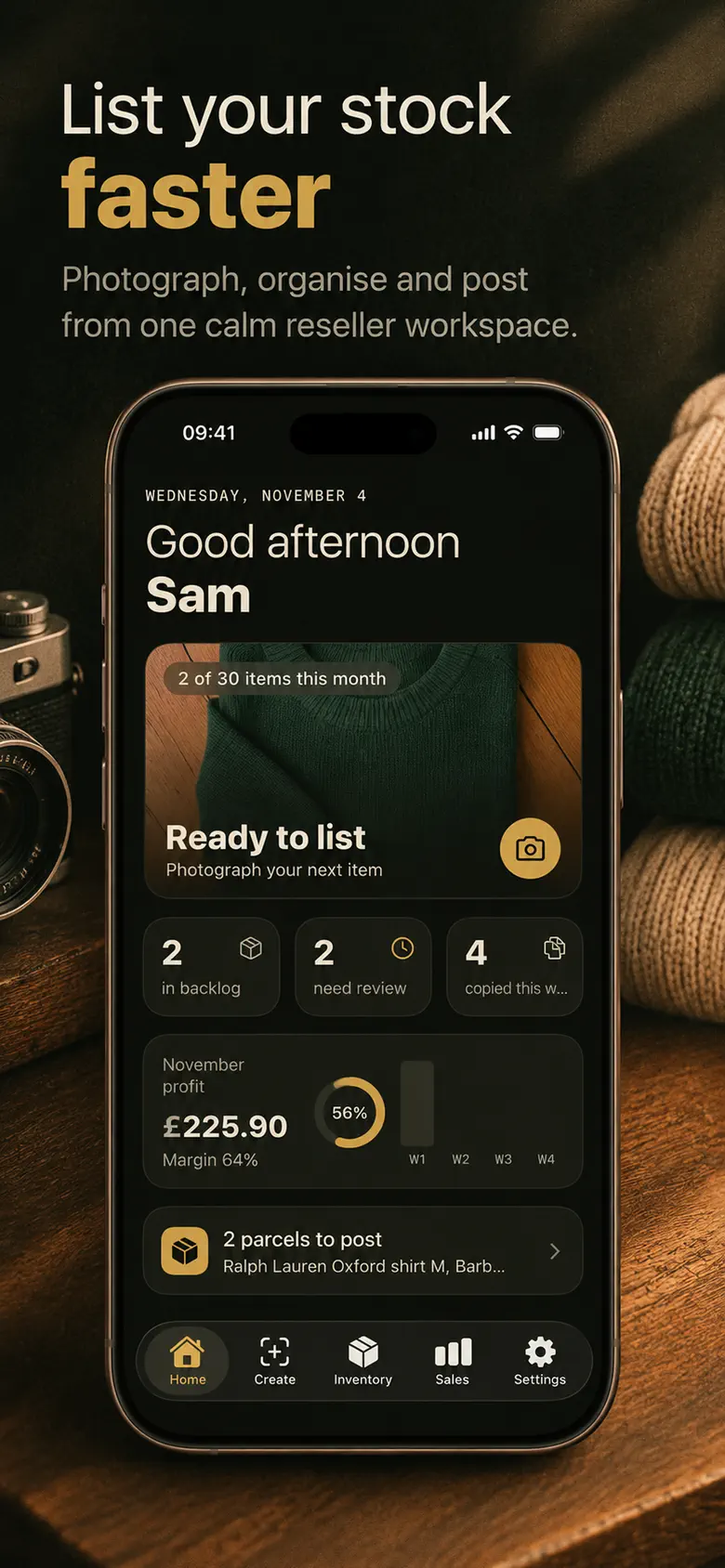
One place to keep the details, from your first photo to your final numbers.
01
Photograph. Then make it yours.
Take an item photo and let ListBench create a listing draft. Check the details and edit every word before using it.
02
Copy, paste, and post yourself.
Use a draft for eBay, Depop or Vinted. Copy it into the marketplace and publish it yourself. ListBench never posts for you.
03
Keep a record. Add a label.
Keep the item in your stock record with its own SKU label. Tag your physical stock so you can find the right piece again.
04
Record the sale. See your net.
Update the item when it sells. Track the sale, fees and costs to see what you actually keep.
Drafts support eBay, Depop and Vinted. ListBench is independent of these marketplaces.
Beyond the listing draft
Keep your stock and your numbers in the same calm place.
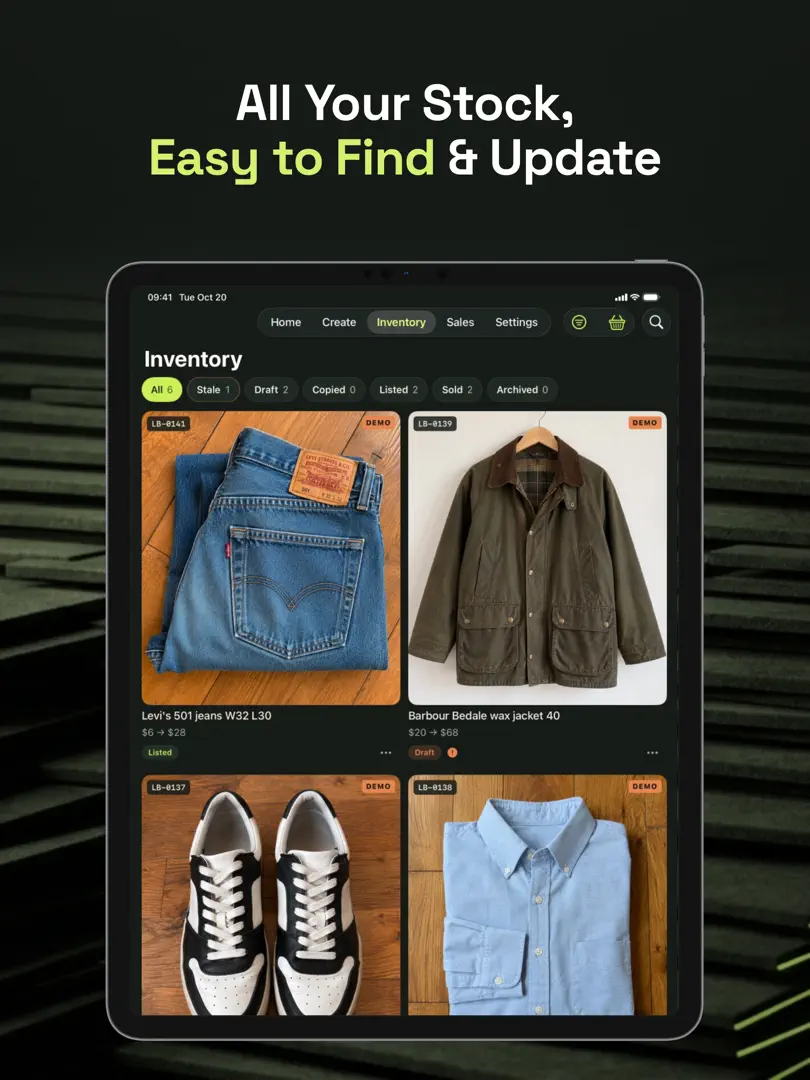
Your stock, accounted for
Find the piece. Keep the details.
Give each item its own SKU label and keep a stock record you can update when something changes. The jacket in the box and its details in the app stay easy to match.
A label for the item. A place for the information.
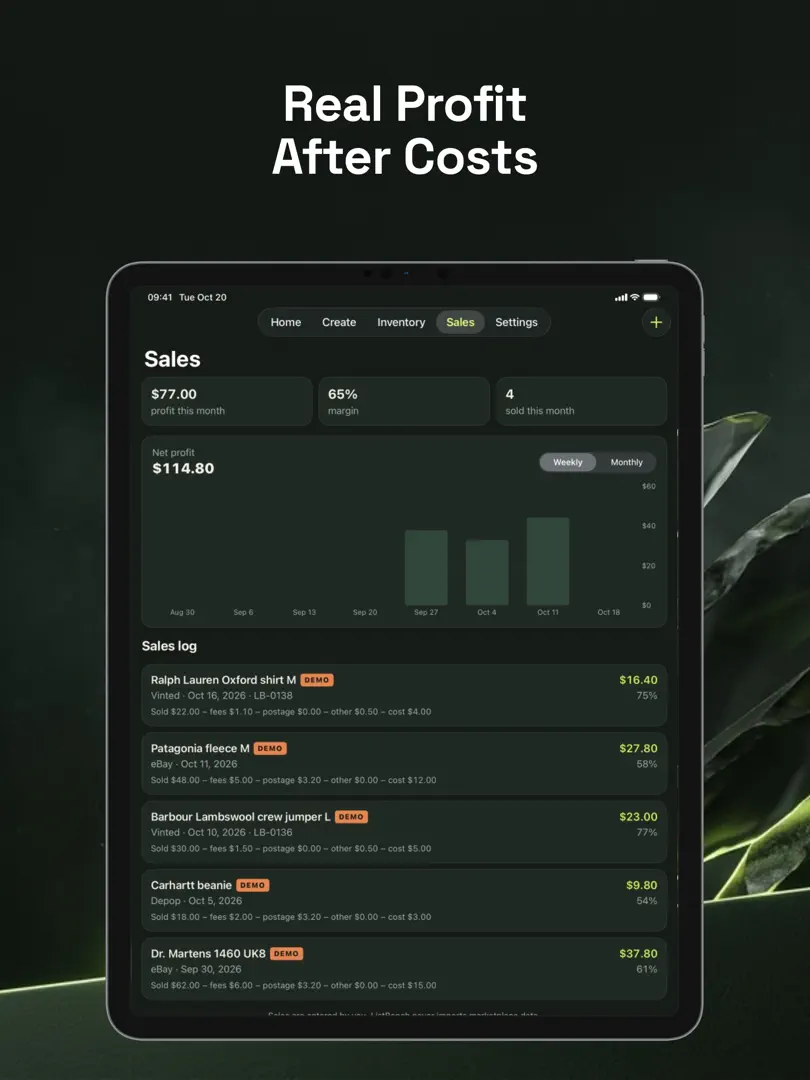
Your sales, with the costs included
See what sold. Know what you kept.
A sale price is only part of the picture. Track net profit after fees and costs, then set a monthly profit goal and follow your progress as you record sales.
Sale price − fees − costs = net profit
Actual iPad screenshots from the App Store. ListBench is available for iPhone and iPad.
The useful little details
For the everyday side of selling.
Give older stock some attention.
Aging-stock prompts help you notice items that have been sitting. Revisit the price, title or cover photo when you’re ready.
A quick look between other things.
Home Screen and Lock Screen widgets show profit and items that need attention, without opening the app.
Make it fit where you sell.
Choose currency, sizes and units that follow where you sell. Keep your records in the terms you use.
Your stock. Your business.
Your business stays yours.
Privacy is part of the routine, with a choice about when your photos are read by AI.
Your records stay on your device.
Your stock, sales and numbers are kept on your device.
Photo reading starts with your consent.
Photos are sent to an online AI service only after you agree. AI photo reading is not offline.
You can switch it off.
Disable AI photo reading in Settings whenever you want.
Starter and Pro subscriptions are offered monthly or yearly.
Eligible users can try a yearly plan with a three-day free trial.
One-off credit packs are also available for listing drafts.
Check current prices, included features and trial eligibility in the app before purchasing. Subscriptions renew automatically unless cancelled at least 24 hours before the period ends. Manage subscriptions in your Apple Account settings.
No. ListBench creates drafts for eBay, Depop and Vinted. You copy and paste a draft into the marketplace and post it yourself. It does not automatically crosspost or sync with marketplace accounts.
Can I change the AI listing draft?+
Yes. Every word is editable. Treat the draft as a starting point and check details such as brand, size and condition before you post. You stay responsible for the finished listing.
How do SKU labels help me find stock?+
Every item gets its own SKU label. Tag your physical stock with that label so you can match the item to its record in ListBench when you need to find or update it.
What does net profit mean here?+
Net profit is what you keep from a sale after fees and costs. Record your sale and its costs to get a clearer picture than the sale price alone. You can also set a monthly profit goal and follow your progress. ListBench is not a tax-reporting service.
Are my photos sent to an AI service?+
Only after you consent to AI photo reading. Selected photos are sent to an online service to create the draft, so this processing is not offline. You can disable AI photo reading in Settings. Your stock, sales and numbers stay on your device. See the existing privacy policy for full details.
Is everything included in the free download?+
The app is free to download, but it offers paid Starter and Pro subscriptions, available monthly or yearly, and one-off credit packs. Eligible users can receive a three-day trial on yearly plans. Current prices, feature inclusions and eligibility are shown in the app before you buy.
Can I use my own currency, sizes and units?+
Yes. ListBench has currency, size and unit settings that follow where you sell, so your stock and sales records can use the formats that fit your shop.
Your next item. A little more order.
From the photo to the stock record to the sale. Keep the everyday details together with ListBench.